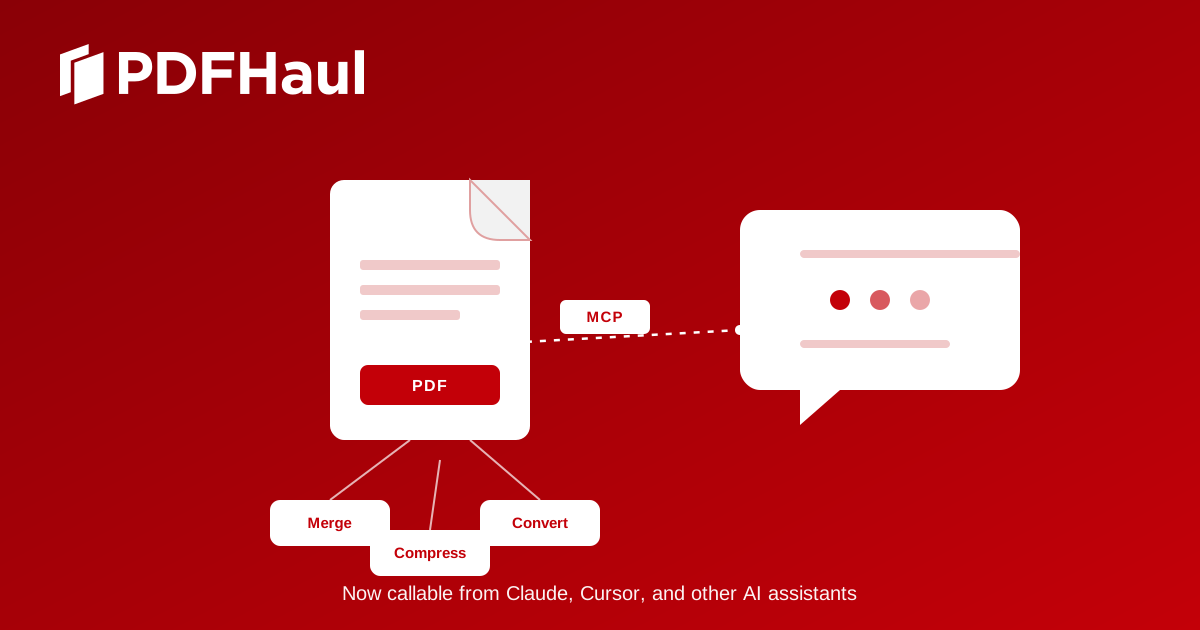
PDFHaul now has an MCP server. In plain terms: you can connect PDFHaul to Claude, Cursor, Windsurf, or any other AI assistant that supports the Model Context Protocol, and ask it to merge, split, compress, rotate, or convert your PDFs without opening a browser tab.
What is MCP, actually
Model Context Protocol is an open standard, created by Anthropic, that lets AI assistants call outside tools directly. Instead of you copying a file into a website, running a tool, and copying the result back into your conversation, the assistant does it for you as part of answering your request. You just describe what you want in normal language.
PDFHaul's MCP server exposes 12 tools the AI can use: listing and retrieving your files, merging, splitting, compressing, rotating, reordering, and deleting pages, plus converting between PDF, Word, and images. You don't need to know the tool names. You just ask.
What you can ask it to do
● "Merge these three PDFs into one file and put it in my Dropbox."
● "This PDF is too big to email, compress it."
● "Convert this PDF to a Word doc I can edit."
● "Delete the blank pages from this scan."
The assistant figures out which PDFHaul tools to call and in what order. For multi-step requests, that means one message instead of several separate uploads.
Setting it up
Setup takes about two minutes and doesn't require any coding. There are three steps.
1. Create an API key from the Developer Console at pdfhaul.com/mcp-server.
2. Add the connection details to your AI client's configuration. Claude Desktop users can connect with OAuth instead, which skips manual key entry entirely: adding the server prompts you to sign in and authorize it.
3. Start asking your assistant to work with your PDFs.
Files are handled the same way they are on pdfhaul.com: they're processed and then automatically deleted after two hours. Nothing is kept longer than that, whether you're using the website or an AI assistant.
Why this exists
A lot of PDF work is repetitive and small: shrink this file, combine these pages, get this into Word. That kind of task fits naturally into a conversation with an AI assistant you're already using for other things. Building a separate MCP server, rather than just wrapping the existing web app, meant we could handle things properly: requests that time out and retry won't create duplicate files, usage is rate-limited to prevent abuse, and file uploads from a URL are checked before they're fetched. It's built to be used for real, not just to work in a demo.
Try it
The MCP server is live now and free to use, the same as every other PDFHaul tool. Full setup instructions are at pdfhaul.com/mcp-server. If you run into any issues connecting it, reach out and we'll help you sort it out.
Peter
Founder of PDFHaul and Bultech
Building tools that make working with documents faster and simpler.