

An AI assistant can explain how to compress a PDF. That is useful once.
An AI assistant that can find the file, compress it, return the result, update a project page, and help create the image for an announcement is useful every day.
That difference is why the “MCP is dead” argument misses something important.
The criticism is real. Developers have connected poorly designed MCP servers, filled their agents’ context with tool descriptions, wrestled with authentication, and wondered why they did not simply call an API or use a command-line tool. In “MCP is dead. Long live the CLI,” Eric Holmes goes further. He argues that MCP offers no real-world benefit and that most work would be simpler, easier to debug, and more reliable with a good API and CLI. He cites composability, established authentication, fewer moving parts, and the ability for humans and agents to use the same commands. He also acknowledges that MCP can be useful when no CLI exists and that some cases may favor a standard interface.
That is a serious argument. If MCP merely wraps a CLI with extra setup, it has to justify the cost. But the wider claim that the protocol offers no practical benefit needs to account for what teams can do with connections built for AI clients across many services, not only what a local coding agent can do in a terminal.
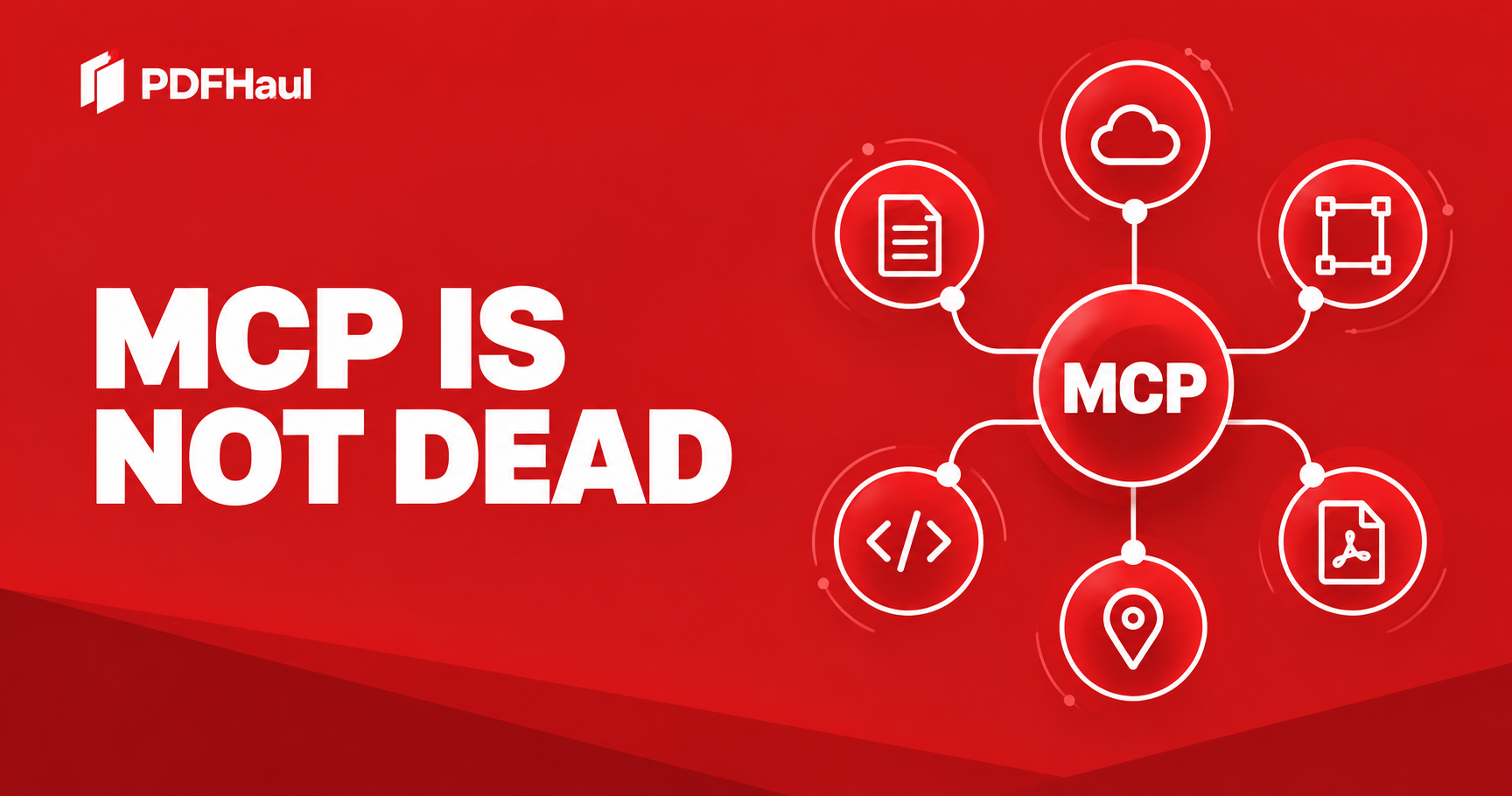
MCP, the Model Context Protocol, gives an AI application a common way to discover and use capabilities provided by another system. It does not make every integration good. It does make a particular kind of workflow possible without rebuilding a separate connection for every assistant and every service.
Look at what people are already doing with it.
1. Azure turns cloud resources into tools an assistant can use
Imagine a developer investigating a failing application. They need to check a resource, inspect telemetry, and find the relevant service documentation. Without connected tools, the assistant can suggest commands, but the developer must keep moving between the chat, terminal, portal, and documentation.
The Azure MCP Server exposes Azure operations to compatible AI clients. Microsoft documents examples such as listing storage accounts and running KQL queries. In supported Visual Studio workflows, its tools can also help browse resources, run diagnostics, and work with deployments. Access remains tied to Azure credentials and permissions.
That does not mean an agent should make unreviewed production changes. It means the agent can work with the same relevant cloud context while the developer remains in control.
A CLI is valuable here too. In fact, Microsoft’s Azure tooling uses CLIs alongside MCP. The practical choice is which interface helps this particular agent and user complete the task reliably.
2. Microsoft Learn gives the assistant a route back to the documentation
An assistant can sound confident about a Microsoft feature it remembers incorrectly. That is particularly frustrating when product documentation changes.
The Microsoft Learn MCP Server lets a compatible client search Microsoft’s official technical documentation, fetch articles, and search code samples. It is a publicly available remote server.
This is a quieter example of MCP’s value. No dramatic autonomous agent is required. A developer asks a question, the assistant checks the relevant documentation, and the answer can be grounded in a source that the developer can inspect.
The capability is modest. That is precisely why it matters. Better access to current information is often more useful than another impressive-looking demo.
3. Notion connects an assistant to the work people have already organized
A team’s project knowledge rarely lives in one prompt. It lives across briefs, decision logs, tasks, notes, and databases. An assistant without access to that material can produce polished answers that ignore what the team has decided.
Notion MCP is a hosted server that lets an authorized MCP client search, read, create, and update accessible Notion content. Notion describes workflows in which a client searches pages, creates a page from the results, and updates its properties. The connection uses OAuth and is subject to workspace access controls.
Consider a project handoff. Instead of copying five pages into a chat, a user could ask an authorized assistant to find the current brief and decisions, draft a handoff page, and place it in the right workspace. The value comes from connecting the assistant’s reasoning to the team’s actual information and actions.
Could a developer write directly against the Notion API? Of course. Notion’s own MCP server uses its API. MCP’s value is in making those capabilities available through a standard interface to compatible clients, with a connection the user can authorize.
4. Higgsfield shows that MCP is about creation, not just retrieval
Many discussions treat MCP as a way for an assistant to look things up. Creative tools show the other half of the story: the assistant can also help produce an output.
Higgsfield’s MCP offering connects supported AI clients to image and video generation workflows. Its examples include adapting an ad into different aspect ratios and turning a creative prompt into generated visuals.
The interesting part is the workflow around the generation. A person can describe the objective, refine the direction in conversation, invoke a creative capability, inspect what comes back, and iterate. The assistant is no longer limited to writing a prompt that the person must paste somewhere else.
That does not guarantee that every image is good or that every generation is instant. It removes a handoff between deciding what to make and invoking the tool that can make it.
5. PDFHaul makes document work available inside the conversation
PDFs create their own handoffs. A person has a file and wants a result: merge documents, split out certain pages, OCR a scan, extract tables, or convert a report to Word. A general assistant can explain how to do those tasks. It needs access to document operations to carry them out.
The PDFHaul MCP server exposes 22 PDF tools to compatible clients, including merge, split, compression, OCR, conversion, table extraction, and exact-match duplicate-page removal. It also exposes file operations such as listing files and retrieving temporary download URLs. Users connect it with a PDFHaul API key.
For example, a user could ask an assistant to extract tables from a PDF into a spreadsheet, or to make a scanned PDF searchable before working with its contents. The assistant can invoke the relevant PDFHaul operation rather than stop at a set of instructions.
We built this because document work is often one step inside a larger job. People do not wake up wanting to “use a PDF tool.” They want to finish a report, prepare a submission, compare figures, or share a clean file. MCP allows PDF processing to become an available action within that broader workflow.
6. GitHub moves the assistant from code suggestions to project work
A coding assistant can draft a patch while missing the issue that prompted it, the pull request that attempted it last month, and the repository rules around the change. A developer then spends time gathering that context by hand. The GitHub MCP Server gives a compatible assistant a way to retrieve repository information, list pull requests, and work with issues through GitHub tools. GitHub also lets users configure toolsets, so an integration need not expose everything at once.
Picture a developer asking why a bug keeps returning. With appropriate access, an assistant can examine the issue history and relevant pull requests before suggesting a fix. It can help open a follow-up issue with the findings. That is more useful than confidently producing a patch from one pasted error message. The developer still needs to inspect the evidence, review the code, and decide what to merge.
This example also tests the familiar claim that the command line can do the same thing. The GitHub CLI is excellent for a developer in a terminal. An MCP connection can bring defined GitHub capabilities into a compatible assistant with configurable toolsets. The best interface depends on the agent, the user, and the permissions available. The point is that MCP makes project context and project actions accessible through a common contract.
7. Figma gives an assistant the design details that screenshots leave out
A screenshot tells a coding assistant what a screen looks like. It rarely tells the whole story about components, variables, layout, and the design system that produced it. If those details are absent, generated code can appear similar while drifting from the actual design. A person then has to explain spacing, naming, responsive behavior, and component choices all over again.
Figma’s MCP server exposes structured design context to supported development clients. Its documentation describes access to design elements such as components, variables, layout information, and, in supported setups, Code Connect mappings. The purpose is to help an agent implement a design with the context the design team actually used. It is not a promise that one tool call turns any mockup into production code.
A product team could hand a selected frame to a coding agent and ask it to build the screen using the existing components. The agent can inspect the design context while it works; a developer can compare the result to the design and test the behavior. That shortens the gap between a visual decision and an implementation decision. The integration is useful precisely because a design file carries more structure than a flat image.
8. Atlassian brings issues and decisions into the same task
A product change often begins in Jira, is explained in Confluence, and ends in a repository. The assistant working on the code may see only the last instruction, missing the acceptance criteria or a decision buried in a project page. That is how a technically sound change can solve the wrong problem.
Atlassian’s Rovo MCP Server is a cloud-hosted connection for compatible AI tools. Atlassian documents access to Jira and Confluence context, and its current guidance covers other Atlassian data in supported configurations. Its controls include the organization’s access policies. A team can give a compatible assistant the ability to look up the work item and supporting documentation, subject to what the connected user is allowed to see.
Consider a feature request with an ambiguous phrase such as “export the report.” The issue may specify the fields, while a Confluence decision records why one format was chosen. Reading those sources before implementation changes the quality of the answer. Afterward, an authorized agent might update the work item with what was done. The usefulness is not that Jira has an API. It is that the assistant can encounter the work in its original context at the point of need.
9. Google Maps grounds a conversation in actual places and routes
Not every valuable tool call is about software development. Ask a general assistant for nearby locations and it may rely on stale knowledge or produce an answer without a traceable place. The problem is even clearer for routes, where distance and duration depend on the actual origin and destination.
Google Maps Platform’s Maps Grounding Lite offers an MCP server with tools for place search, weather lookup, and route information. It can return place identifiers, coordinates, and Google Maps links alongside results. This is a concrete example of an assistant retrieving real-world context through a service built for that domain. It does not make every recommendation correct, and a user should still inspect the returned places and route details.
Imagine planning visits to several public locations. The assistant can ask the Maps service for candidate places, use the returned identifiers to distinguish similarly named locations, and request route information. It can then explain the options with linked places instead of pretending that its language model memory is a live map. MCP matters here because the same compatible client that handles a document or workspace page can also call a geospatial capability when the task requires one.
10. Cloudflare shows a way to keep a large service usable
One of the strongest objections to MCP is tool sprawl. If a server exposes hundreds of endpoints as separate tool descriptions, an agent may spend more context reading the menu than doing the job. Cloudflare’s own MCP servers are an interesting answer to that problem rather than a denial that it exists.
Cloudflare documents a search-and-execute pattern for its services. Instead of loading every API endpoint as an individual MCP tool, the agent can search a typed representation of the API and execute against the relevant capability. Cloudflare says an equivalent server with every endpoint exposed as a native tool would consume more than one million tokens of tool definitions. That comparison is Cloudflare’s, and the practical results depend on the client and task, but the design principle is clear: expose discoverable capability without making the model carry an enormous catalog.
A developer investigating a deployment or security configuration does not need every Cloudflare endpoint in the prompt. They need a reliable route to the small part of the service relevant to the question, plus appropriate account permissions. MCP gives Cloudflare a standard entry point while its server design addresses scale. This is the kind of implementation detail critics are right to demand, and the kind builders can improve.
11. Playwright lets an assistant inspect what a web app actually does
An assistant can write a plausible test for a web page it has never opened. It may invent a button label, miss an error state, or assume a form submits as intended. The Playwright MCP server, maintained in Microsoft’s Playwright project, gives compatible clients browser automation tools that use structured accessibility snapshots. The assistant can navigate, inspect page elements, interact with controls, and observe the result.
For a checkout-free signup flow or a document upload page, a developer could ask an agent to open the site, try the path, and report where it fails. The agent can read the page structure as it goes instead of relying entirely on a screenshot or a guessed selector. This is useful for exploratory debugging and iterative testing. It is not a substitute for a stable automated test suite, and any agent acting in a browser should have a clearly scoped environment.
Playwright also offers a CLI for coding agents. Its documentation explains that a CLI can be efficient for some coding workflows, while MCP suits specialized iterative loops with persistent browser state. That is a more useful conclusion than a protocol funeral. The same project can support both interfaces because they serve different working patterns.
What these examples prove and what they do not
These eleven examples do not constitute one magical assistant that can access every service at once. A client must support the relevant connection, the user or organization must authorize it, and the server must expose the needed capability. A successful tool call also does not establish that the resulting answer is accurate. The assistant must interpret the output, and a human should review consequential actions.
They do establish a narrower and stronger point: teams across cloud operations, documentation, workspace knowledge, media creation, document processing, code collaboration, design, project management, maps, infrastructure, and browser automation have found a use for a shared connection pattern. Those are different domains with different underlying APIs. The commonality is the assistant’s need to discover a capability, provide the right inputs, and receive usable output.
The measure of success is not the number of MCP servers installed. It is whether a particular connection reduces a real handoff while keeping permissions understandable and results verifiable. That is why a small, focused server can be more valuable than a giant catalog, and why an agent should ask for confirmation before an irreversible action. Better servers make the protocol feel less like plumbing and more like completed work.
The strongest CLI argument still deserves a direct answer
Holmes is right that a well-designed CLI is composable, inspectable by a human, and often already connected to an established login. A developer can pipe a huge Terraform plan through local filters without sending the whole thing into a model’s context. That is a genuine advantage. An MCP server that dumps the entire plan or replicates every command with worse authentication has not improved the workflow.
But “the CLI works well here” does not establish “MCP provides no real-world benefit.” Several examples above are hosted services used in AI clients that are not simply shells on the user’s machine. A person connecting an authorized Notion workspace, a Figma design, a Maps data service, or a PDF operation can use a client’s tool discovery and structured calls without each client separately learning a vendor’s CLI installation, command syntax, output conventions, and login flow. An official server can package domain-specific operations and authorization for more than one compatible client. That is a practical benefit if the integration is well built, even though its underlying service still has an API.
Nor does an official MCP server make a CLI obsolete. GitHub and Playwright provide especially useful counterexamples because both interfaces exist. One can prefer the CLI for a local coding loop and the MCP connection for a different client or an iterative tool workflow. The claim worth defending is conditional and testable: where a server gives an assistant relevant capabilities with less integration work and acceptable reliability, MCP earns its place. These published examples demonstrate concrete capabilities, not measured proof that MCP is faster than a CLI in every use case. That narrower conclusion is enough to challenge an obituary.
The critics are right about bad MCP servers
None of these examples proves that every MCP server is worth installing.
A server with dozens of vague tools can be harder for an agent to use than a focused CLI. A thin wrapper around an existing API may add little value. Authentication and permissions need careful design. Outputs need to be useful to the model without flooding its context. Any action that changes data deserves an appropriate review path.
These are product and implementation questions. They should be tested, not waved away.
Quandri Engineering, for example, published measurements criticizing context use and reliability. Its article now includes an update saying that deferred tool loading in current Claude Code versions largely addressed the specific context-bloat problem it measured, while other concerns remain. That is what a useful technical debate looks like: make a claim, measure it, and revise it when the tools change.
MCP is also evolving. Its maintainers have published a 2026 roadmap covering scalability, governance, and enterprise use. A roadmap is not proof that every problem is solved, but it is evidence of an actively developed protocol rather than an abandoned idea.
The question is what the assistant needs to do
If an agent needs one local command and a well-documented CLI already exists, use the CLI.
If an application needs a reusable, permission-aware connection to a service that many compatible assistants may use, an MCP server can make sense. If the task spans cloud resources, documentation, workspace content, creative production, and PDFs, a shared way to expose those capabilities becomes more compelling.
Azure, Microsoft Learn, Notion, Higgsfield, PDFHaul, GitHub, Figma, Atlassian, Google Maps, Cloudflare, and Playwright illustrate different parts of that picture. Their existence does not prove that any single combined workflow is automatically available in every client. It shows that useful capabilities are being made available through the same protocol.
That is the part the obituary gets wrong.
MCP does not need to replace APIs or CLIs to be valuable. APIs remain the underlying service interfaces. CLIs remain excellent tools, especially for developers. MCP gives compatible AI applications a structured way to use capabilities exposed by those systems.
The interesting question in 2026 is no longer, “Can an assistant talk about the work?”
It is, “Can the assistant reach the right tools, with the right permissions, and help finish it?”
That is why MCP is still worth building well.
Sources
Peter
Founder of PDFHaul and Bultech
Building tools that make working with documents faster and simpler.