
Annotate PDF Online Free
Add text boxes, sticky notes, shapes, freehand drawings, and highlights to any PDF. All annotations are embedded into the file so they are visible in any PDF viewer. No software to install, no account required.

Drop your PDF here
or click to browse
 Select PDF
Up to 10 MB
How to Annotate PDF
- 1
Upload your PDF
Click the upload area or drag and drop your PDF. Any PDF version is supported.
- 2
Add your annotations
Use the toolbar to add text boxes, sticky notes, shapes, freehand drawings, highlights, and stamps anywhere on the document. Change colours and sizes as needed.
- 3
Download your annotated PDF
Download the finished PDF with all annotations permanently embedded — visible in any PDF viewer without any plugins.
Why use PDFHaul
to annotate PDFs?
Full annotation toolkit
Text boxes, sticky notes, freehand drawing, rectangles, circles, arrows, image insertion, and stamps — everything you need to mark up a document thoroughly.
Annotations embedded permanently
Annotations are baked into the PDF on download — visible in Adobe Reader, Preview, and any browser PDF viewer without special software or PDFHaul.
Touch and mobile support
Freehand drawing works with a finger on a touchscreen. Use PDFHaul on tablet or phone for natural hand annotation on the go.
Files deleted in 2 hours
Your documents are automatically purged from our servers within 2 hours. Not stored, not analysed, not sold.
Who annotates
PDFs?
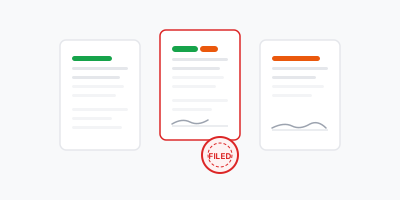
Annotation is one of the most common collaborative document tasks — reviewing, correcting, and commenting on a document before it is finalised.
01
Contract and document review
Mark up a contract with comments, questions, and suggested changes before sending it back to a counterparty or lawyer. Use different colours to distinguish open questions from approved sections.

02
Academic and research feedback
Add detailed margin comments, corrections, and questions to a student paper or research draft. Freehand drawing lets you mark up equations, diagrams, and handwritten content naturally.

03
Design and creative review
Mark up design proofs, layouts, and visual documents with arrows pointing to specific elements, text notes explaining changes, and shapes highlighting areas that need revision.
04
Field inspections and site reports
Annotate site diagrams, inspection forms, and floor plans on a tablet in the field. Add notes directly to the relevant locations on the document rather than writing separate notes.
Frequently asked questions
Everything you need to know about annotating PDFs online
More PDF tools
After annotating, sign, highlight, or redact in the PDFHaul viewer. No re-uploading needed.