
Make Scanned PDFs Searchable with OCR
Recognize text on scanned pages and add an invisible, searchable text layer, without changing how the document looks. Works in 15 languages. No software to install, no account required, and no files stored after you're done.

Drop your PDF here
or click to browse
 Select PDF
Up to 50 MB
How to OCR PDF
- 1
Upload your scanned PDF
Click the upload area or drag and drop your file. Files up to 50MB are supported on the free tier.
- 2
Run OCR
PDFHaul automatically detects which pages lack a text layer and recognizes text only on those pages, leaving pages that already have text untouched.
- 3
Download your searchable PDF
The recognized text is embedded as an invisible layer. Your PDF looks identical, but the text can now be searched, selected, and copied.
Why use PDFHaul
for PDF OCR?
Recognition in 15 languages
The OCR engine recognizes English, Spanish, Portuguese, French, German, Arabic, Chinese, Japanese, and more in a single pass over the document.
The document never changes visually
Recognized text is added as an invisible layer under the original image. Your PDF looks exactly the same, it just becomes searchable.
Skips pages that already have text
Mixed documents with both scanned and native-text pages are handled correctly: only pages that actually need it get processed.
Files deleted in 2 hours
Your documents are automatically purged from our servers within 2 hours. Not stored, not analyzed, not sold.
Who needs
PDF OCR?
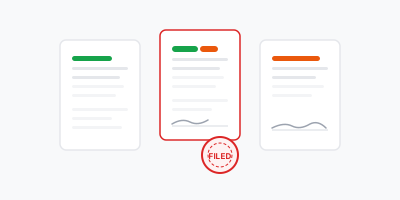
A scanned PDF has no real text, just an image of the page. Without OCR, you can't search, select, or copy anything from it.
01
Archives and old paperwork
Digitize contracts, records, or correspondence scanned years ago and make them searchable by keyword instead of checking each page by hand.
02
Scanned contracts and legal files
Legal documents that were signed and then scanned or faxed lose their selectable text. OCR restores it so you can search for specific clauses.

03
Photographed receipts and invoices
Turn photos of receipts into documents with real text that can be searched or extracted for expense systems.

04
Academic and research archives
Scanned journal articles and historical documents become searchable by text instead of needing to be paged through one by one.
How PDF OCR works
A scanned PDF is not text at all, it's a photograph of a page embedded in a PDF wrapper. There is nothing to search, select, or copy because there is no text layer, only pixels. PDFHaul checks every page for an existing text layer before doing anything else, so pages that already have real text are never touched.
For pages that lack a text layer, PDFHaul rasterizes the page and runs it through an OCR engine that recognizes individual words and their positions. That recognized text is then written back into the PDF as an invisible layer, positioned precisely under the original scanned image at the same coordinates the words appear visually.
The result is a PDF that looks pixel-for-pixel identical to the original scan, but now has a real, invisible text layer underneath. Opening it in any PDF reader lets you search, select, and copy the text, even though visually nothing changed. Mixed documents, where some pages are scanned and others already have text, are handled in one pass: only the pages that actually need recognition are processed.
The OCR engine recognizes text in 15 languages in a single pass, so a document doesn't need to be pre-sorted by language before processing. Accuracy depends on scan quality: clean, reasonably straight scans at typical document resolution recognize well, while blurry, heavily skewed, or very low-resolution scans reduce accuracy, the same limitation any OCR system has.
Frequently asked questions
Everything you need to know about OCR for PDFs
More PDF tools
After running OCR, continue editing in the PDFHaul viewer. No re-uploading needed.